Rechercher dans ce blog

Wednesday, 3 March 2021

Lenovo ThinkPad X1 Nano Review: Super-Slim Workhorse - Tom's Hardware

lenovo.indah.link

If you’re shopping for the best ultrabook, you want a system that’s light and has long battery life, without sacrificing the features you need to be productive. Lenovo’s ThinkPad X1 Carbon has long met this standard, providing superb endurance, performance and usability in a super thin and light chassis. 

The ThinkPad X1 Nano shrinks everything great about the Carbon down to an even more portable size, cutting about 0.04 inches off of the height, shaving 0.5 pounds off and trading the 14-inch display for a 13-inch panel that packs in a lot of screen real estate thanks to its 2160 x 3150 resolution and 16:10 aspect ratio. Starting at $1,349 ($1,847 as tested), the X1 Nano is an imminently lappable productivity powerhouse with all-day battery life and a fantastic keyboard, but you’ll have to sacrifice USB Type-A ports for the privilege. 

Lenovo ThinkPad X1 Nano Specifications

CPU Intel Core i7-1160G7
Graphics Intel Iris Xe Graphics
Memory 16GB LPDDR4x-4266
Storage 512GB PCIe SSD
Display 13-inch, 2160 x 1350 IPS with Dolby Vision
Networking Intel Wi-Fi 6 AX201 + Bluetooth 5.0
Ports 2x Thunderbolt 4, 1 x 3.5mm
Camera 1280 x 720
Battery 48 WHr
Power Adapter 65W
Dimensions (WxDxH) 11.53 x 8.18 x 0.55 inches (92.8 x 207.7 x 13.87 mm)
Weight 1.99 pounds (907g)
Price (as configured) $1,847

Design of the Lenovo ThinkPad X1 Nano

Image 1 of 7

Lenovo ThinkPad X1 Nano

(Image credit: Tom's Hardware)
Image 2 of 7

Lenovo ThinkPad X1 Nano

(Image credit: Tom's Hardware)
Image 3 of 7

Lenovo ThinkPad X1 Nano

(Image credit: Tom's Hardware)
Image 4 of 7

Lenovo ThinkPad X1 Nano

(Image credit: Tom's Hardware)
Image 5 of 7

Lenovo ThinkPad X1 Nano

(Image credit: Tom's Hardware)
Image 6 of 7

Lenovo ThinkPad X1 Nano

(Image credit: Tom's Hardware)
Image 7 of 7

Lenovo ThinkPad X1 Nano

(Image credit: Tom's Hardware)

If you’ve ever seen a ThinkPad, the X1 Nano will look very familiar. It has the classic raven black ThinkPad colorway with the X1 and ThinkPad logos on the lid. As always, the dot in the I in “ThinkPad” is a red status light that is a solid color when the system is awake and blinks when it’s asleep. Like its sibling, the X1 Carbon, the Nano is made from premium materials that include a carbon fiber lid and a magnesium-aluminum body. 

At just 1.99 pounds (907 grams), the ThinkPad X1 Nano is significantly lighter than direct competitors like the Acer Swift 5 (2.3 pounds), Dell XPS 13 (2.8 pounds), HP Spectre x360 13-inch (2.8 pounds) and the MacBook Pro 13 (3 pounds). At 11.53 x 8.18 x 0.55 inches, it’s also thinner than the three clamshells by 0.5 inches and the Spectre x360 by 0.12 inches. 

Being this thin has its trade-offs. While Lenovo was able to pack in a generous, 48 Whr battery and a keyboard with solid key travel, there’s only room for three ports: two Thunderbolt 4 connectors and a 3.5mm audio jack. Considering that one of the two Thunderbolt connectors must be used for charging, you’re going to need your fair share of dongles. 

Also both ports are on the left side, leaving just the power button and a vent on the right. It’s somewhat annoying that Lenovo puts its power button on the side rather than deck, particularly given that this is a clamshell, not a 2-in-1. However, other ThinkPads have this feature also, because it allows you to power on the laptop when it is docked with the lid closed.

Performance on the Lenovo ThinkPad X1 Nano

Image 1 of 3

Lenovo ThinkPad X1 Nano

(Image credit: Tom's Hardware)
Image 2 of 3

Lenovo ThinkPad X1 Nano

(Image credit: Tom's Hardware)
Image 3 of 3

Lenovo ThinkPad X1 Nano

(Image credit: Tom's Hardware)

WIth its Intel Core i7-1160G7 CPU, 16GB of RAM and a speedy 512GB SSD, our configuration of the ThinkPad X1 Nano more than handled everything we threw at it. Even when we had more than a dozen tabs open, the system was able to stream a 4K, 60 frame-per-second video and show a WebGL aquarium animation with 5,000 fish at 60 fps at the same time, without a hint of lag.

(Image credit: Tom's Hardware)

On Geekbench 5.3, a synthetic test that measures processor performance, the X1 Nano returned solid scores of 1,473 for single-core and 5,155 for multi-core. That’s a higher multi-core score than the HP Spectre x360 13-inch and its Core i7-1165G7 CPU, but lower than the Dell XPS 13 and its Core i7-1165G7 scored on the identical (and score compatible) Geekbench 5.2. The Acer Swift 5 and its Core i7-1165G7 CPU also eclipsed the Nano. The Apple MacBook Pro M1, running Geekbench for x86 CPUs with the Rosetta 2 compatibility software, came close to the top of the field in multi-core performance while trailing on single-core.

The ThinkPad X1 Nano took a modest 16 minutes and 15 seconds to transcode a 4K video to 1080p in Handbrake. That’s quicker than the HP Spectre x360 and Dell XPS 13 but a couple of minutes, but not as fast as the Acer Swift 5’s time of 13 minutes and 55 seconds or the MacBook Pro’s speedy 7 minutes and 44 seconds.

The X1 Nano’s M.2 PCIe SSD copied 25GB of files at a speed of 424.8 MBps, which is a little bit behind the HP Spectre x360’s rate of 452.6 MBps. However, that’s and nowhere close to the Acer Swift 5’s mark of 758.1 MBps or the Dell XPS 13’s 806.2 MBps.

To see how the ThinkPad X1 Nano performs over time, we ran Cinebench R23 twenty consecutive times. The system scored an average of 3,791, but it started much stronger than it ended, scoring 5,000 on the first run and over 4,000 on runs two and three. During the test, the X1 Nano had an average CPU clock speed of 2.35 GHz with a high of 4.43 GHz. The CPU temperature averaged 66 degrees Celsius with a high of 89 degrees.

Display on the Lenovo ThinkPad X1 Nano

(Image credit: Tom's Hardware)

The 13-inch, 2160 x 1350 display has a 16:10 aspect ratio, which provides more vertical real estate for viewing and editing documents than the more-common 16:9 ratio we see on most laptops. To quantify the difference, I tried viewing the same Tom’s Hardware article at both 1920 x 1080, which is a more common laptop resolution, and 2160 x 1350, both at 125 percent scaling. That means less scrolling than you’d get with a typical, 1080p laptop or even the Dell XPS 13, which is 16:10 but has a native resolution of 1920 x 1200.

Image 1 of 2

Lenovo ThinkPad X1 Nano

(Image credit: Tom's Hardware)
Image 2 of 2

Lenovo ThinkPad X1 Nano

(Image credit: Tom's Hardware)

The matte display is not only generous with desktop real estate, but also fairly bright and reasonably colorful. When I watched a 4K, 60 fps nature video of a Costa Rican jungle, details like the scales on a snake were extremely prominent. Colors like the green on a lizard or the red on a parrot’s feathers were vibrant, but didn’t pop as much as on some other screens I’ve tested. Viewing angles were strong and didn't wash out at all at 90 degrees to the left or right.

The ThinkPad X1 Nano’s screen measured a strong 430 nits of brightness on our light meter. That’s significantly brighter than the Acer Swift 5 and HP Spectre x360 (13-inch) and about on par with the MacBook Pro 13. However, the Dell XPS 13 was even more luminous, returning 469 nits.

According to our colorimeter, the ThinkPad X1 Nano covers a modest 71.6 percent of the DCI-P3 color gamut, which places it right in the middle when compared to its direct competitors. It’s a few points better than the Dell XPS 13 and HP Spectre x360 while trailing the Acer Swift 5 and MacBook Pro by a few points.

Audio on the Lenovo ThinkPad X1 Nano

The ThinkPad X1 Nano delivers sound that’s loud enough to fill a mid-sized room and reasonably accurate, but not smooth enough to dance to. When I listened to AC/DC’s "Back in Black," the music was a little flat and percussion was just a tad tinny. The experience was similar when I changed to Earth, Wind and Fire’s "September." A little tin isn’t bad at all for a business laptop, particularly an ultraportable.

Lenovo’s Commercial Vantage control panel app allows you to choose among different audio profiles, including Music, Voice and Gaming. I found that changing the profile to Dynamic made the tunes sound slightly more full.

Keyboard, TrackPoint and Touchpad on the Lenovo ThinkPad X1 Nano

(Image credit: Tom's Hardware)

The ThinkPad X1 Nano’s keyboard has the wonderful tactile feel, gently curved keys and solid travel we’ve come to expect from ThinkPad keyboards. Lenovo says that the travel is 1.35mm, which is a little shallower than the 1.5 mm I’m used to from recent ThinkPad X1 Carbon models, but I couldn’t feel the difference. Typing on the laptop was a pleasure and I was able to hit a speedy 103 words per minute on the 10 Fast Fingers typing test, which is faster than my typical 95 to 100 rate, but with a higher-than typical 6%error rate.

Like other ThinkPads, the X1 Nano has two distinct pointing devices: a TrackPoint pointing stick between the G and H keys and a buttonless touchpad. The little red nub provides extremely precise navigation, without ever forcing you to lift your hands off of the home row. There is one small wrinkle, which is that there’s a sharp drop between the deck, where the TrackPoint buttons live and the keyboard tray so reaching over to click with my thumb wasn’t as pleasant and natural as on other ThinkPads I’ve used, such as the X1 Carbon, which have a gentle slope between the spacebar and the buttons.

If you don’t like pointing sticks, the 2.8 x 3.9-inch glass touchpad is very accurate and provides just the right amount of friction. The Windows precision touchpad responded consistently to multitouch gestures, including pinch-to-zoom, two-finger scroll and three-finger swipe.

Heat on the Lenovo ThinkPad X1 Nano

A lightweight laptop that you’re likely to use on your lap has to stay cool and the ThinkPad X1 Nano delivers that experience. After streaming a video for 15 minutes, the touchpad measured 27.3 degrees Celsius (81.1 degrees Fahrenheit), the keyboard hit 30.5 degrees Celsius (86.9 degrees Fahrenheit) and the underside was just 35.6 degrees Celsius (96.1 degrees Fahrenheit).

Webcam on the Lenovo ThinkPad X1 Nano

Image 1 of 2

Lenovo ThinkPad X1 Nano

(Image credit: Tom's Hardware)
Image 2 of 2

Lenovo ThinkPad X1 Nano

(Image credit: Tom's Hardware)

The ThinkPad X1 Nano’s 720p webcam is nothing special. With afternoon sunlight on a cloudy day, it captured somewhat blurry images of my face with muted colors. However, with just overhead lights, the image was extremely dark and hard to make out.

On the bright side, the webcam has an IR camera for Windows Hello facial recognition. It also has Lenovo’s ThinkShutter slide that covers up the lens if you’re concerned about privacy.

Battery Life on the Lenovo ThinkPad X1 Nano

Despite its thin size and light weight, the ThinkPad X1 Nano can last all day on a charge and then some. The laptop’s 48 WHr battery provided enough juice to keep it going for exactly 12 hours on our endurance test, which involves continuous web surfing, OpenGL tests and video streaming over Wi-Fi at 150 nits of brightness.

(Image credit: Tom's Hardware)

However, some competitors fared even better, with the MacBook Pro 13-inch managing a full 16 hours and 32 minutes and the Acer Swift 6 delivering a generous 13 hours and 37 minutes of battery life. The HP Spectre x360 (13-inch) endured for a similar time of 12 hours and 32 minutes while the Dell XPS 13 (9310) trailed with a time of 11 hours and 7 minutes.

Upgrading the ThinkPad X1 Nano

Lenovo ThinkPad X1 Nano

(Image credit: Tom's Hardware)

Like the other ultrabooks, the ThinkPad X1 Nano has its RAM soldered to the motherboard so there’s no way to upgrade it. However, if you take the bottom panel off, you can replace the M.2 PCIe SSD. However, it’s not the common 2280 length SSD but the shorter, more obscure 2242 size.

Lenovo ThinkPad X1 Nano

(Image credit: Tom's Hardware)

Getting the bottom panel off is a pain. In theory, all you need to do is loosen the five Philps head screws holding the panel in place and pry it off. However, I had to use a spudger very carefully and repeatedly to get it off without causing damage. And getting the bottom back on with all the tabs in place and not having a corner stick up was a challenge. The SSD itself is hidden under a copper heatsink, which you can unscrew.

Software and Warranty on the Lenovo ThinkPad X1 Nano

Image 1 of 2

Lenovo ThinkPad X1 Nano

(Image credit: Tom's Hardware)
Image 2 of 2

Lenovo ThinkPad X1 Nano

(Image credit: Tom's Hardware)

The ThinkPad X1 Nano comes with one major useful utility and a bare minimum of bloatware. Lenovo Commercial Vantage is the general-purpose control panel software that lets you track driver updates and change hardware settings, including the audio profile and some simple display and camera settings that aren’t much different than what Windows 10 gives you in its own settings menus. The input settings also allow you to do things such as swap the CTRL and Fn keys, set the keyboard backlight level or assign an action to F12, the user-defined key.

Windows 10 comes with a trial of Microsoft Office and tiles to download Roblox, Hidden City: Hidden Object Adventure, Photoshop Express, Solitaire and Hulu.

Lenovo backs the ThinkPad X1 Nano with a standard one year warranty on parts and labor. You can pay extra to extend the warranty up to five years and add on-site service or accidental damage protection.

Lenovo ThinkPad X1 Nano Configurations

Lenovo offers a limited number of configurations of the ThinkPad X1 Nano. Almost all of them have the same, 2160 x 1350 non-touch display, with the exception of the top model which adds touch. Most of the choices you get involve the CPU, RAM and SSD.

The base model currently starts at $1,349. For that price, you get a Core i5-1130G7 CPU, 8GB of RAM and a 256GB SSD. Considering that the RAM is soldered down and 16GB is necessary for serious multitasking, we’d go for at least the $1,727 config, which has 16GB of RAM, a 512GB SSD and the same Core i5 CPU.

Jumping up a level to $1,847, you get our review configuration which has the Core i7-1160G7 processor, 16GB of RAM and a 512GB SSD. An $1883 model goes back to the Core i5 processor but has a 1TB SSD and 16GB of RAM. The top model has a Core i7-1180G7 and a touch screen to go with 16GB of RAM and a 1TB SSD for $2,207.40.

Bottom Line

(Image credit: Tom's Hardware)

Having used a 14-inch ultrabook as my daily driver for the past several years, I really appreciated how more easily the 13-inch X1 Nano balanced on my lap. If, in a post-pandemic world, I were live blogging from a crowded press event or working on an airplane, with people sitting on either side of me, having a narrower, this svelte chassis would be a huge positive.

With its 2160 x 1350 display and snappy keyboard, Lenovo’s laptop delivers a great work experience that’s super compact without sacrificing usability. The only major drawback to this laptop is the very limited port selection. As most peripherals, including thumb drives, still use USB Type-A, you’ll be carrying dongles and likely a portable USB hub with you to help deal with the system having a mere two USB Type-C / Thunderbolt 4 ports.

If you’re looking for more flexibility, literally and figuratively, from an ultrabook, consider the HP Spectre x360, which has a USB Type-A port, slightly better performance and will literally will over backwards for you because it’s a 2-in-1 convertible. Dell’s XPS 13 (9310) is another strong 13-inch alternative, which also slightly outperforms the Nano. However, both of these laptops weigh 0.8 pounds more than Lenovo’s laptop and neither is designed with the durability and security of a business laptop. Mac users or those who don’t have an OS preference will find a lot to like in the MacBook Pro 13-inch with M1 processor, which lasts 4.5 hours longer on a charge than the Nano and aces its benchmarks, but weighs a full pound more.

If you’re looking for a fantastic productivity experience in a sleek, lightweight package, the ThinkPad X1 Nano could be your best choice. Just prepare to pack some adapters.

The Link Lonk


March 03, 2021 at 08:00PM
https://ift.tt/3eaVzAl

Lenovo ThinkPad X1 Nano Review: Super-Slim Workhorse - Tom's Hardware

https://ift.tt/2ZUAnWs
Lenovo

Lenovo ThinkPad X1 Carbon Gen 9 & X1 Yoga Gen 6 go on sale in the USA - Notebookcheck.net

lenovo.indah.link

February is a short month - maybe a wee bit too short for Lenovo's taste. The PC manufacturer had announced the ThinkPad X1 Carbon Gen 9 and ThinkPad X1 Yoga Gen 6 at the virtual CES 2021 to be available in February. That did not happen: The two high end business class laptops did not arrive in February. Lenovo narrowly missed the goal, as they have dropped them now, in early March.

The price for being an early adopter in this case is very high: Both the X1 Carbon 2021 and X1 Yoga 2021 are only available as three pre-configured models at lenovo.com at the moment. Both of them lack any discounts and prices are extremely high: The cheapest X1 Carbon Gen 9 costs $2,819 - for that much money, buyers get a Tiger Lake i5, 16 GB RAM, a 512 GB SSD and a WUXGA/FHD+ (1,920 x 1,200) screen. The least expensive ThinkPad X1 Yoga Gen 6 is even more expensive with $3,189. The configuration is almost identical, but the convertible does include a high-res 4K-UHD+ (3,840 x 2,400).

It seems strange that Lenovo would release their X1 ThinkPads with such an high price, but it is a common sight: The thinner 3:2 convertible ThinkPad X1 Titanium Yoga started out equally expensive. A few weeks later, the prices have dropped considerably on that one: The least-expensive X1 Titanium currently costs more than $1,000 less than right after release. Once Lenovo's usual discounts set in, the new ThinkPad X1 Carbon Gen 9 and the X1 Yoga Gen 6 should be much more affordable.

The Link Lonk


March 04, 2021 at 03:45AM
https://ift.tt/3854KOU

Lenovo ThinkPad X1 Carbon Gen 9 & X1 Yoga Gen 6 go on sale in the USA - Notebookcheck.net

https://ift.tt/2ZUAnWs
Lenovo

Lenovo ThinkPad X1 Fold: When hardware and software don't mix - OnMSFT

lenovo.indah.link

A great piece of hardware abandoned by its software

The Lenovo X1 Fold is a mastery of hardware engineering from its smooth-motion hinge mechanism to its magnetically supported Bluetooth keyboard. While the foldable category has seen some small successes in sub-9-inch mobile devices, Lenovo’s 13.3-inch tablet laptop emerges as the standard barrier for the future of this type of computing device. Unfortunately, few operating vendors have provided compelling software experiences to match today’s hardware and, worst yet, is when the industry OS provider effectively renders a device abandonware by pivoting its roadmap mid-development.

Lenovo announced its ThinkPad X1 Fold over a year and a half ago, and since then, nothing meaningful has occurred in the space. Sadly, Microsoft abandoned the sector of foldable screen support with its famed Windows 10 X being put on ice, and as much as partners such as Lenovo tried to accommodate the absence with its own patchwork digital services, foldable screen interest has reduced to a simmer of its former interest level.

Unfortunately, Lenovo was either saddled with excess hardware or didn’t get the industry memo that full-scale foldable workstations are taking a hiatus for now. Yet here we are with the ThinkPad X1 Fold, and while I think in many ways the hardware is ahead of its time, without the software layer in place, reviewing this device was a disjointed experience.

Design

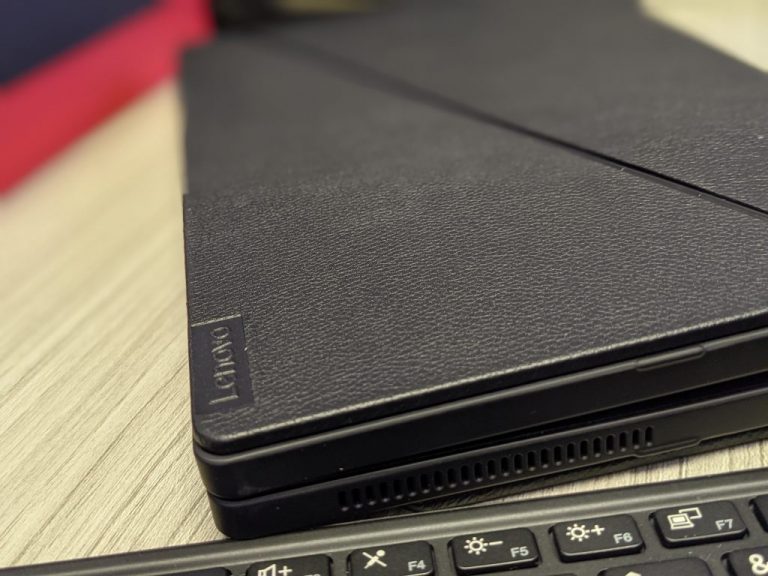
Starting at $2,499 and $2,749 for the review unit I tested, the Lenovo ThinkPad X1 Fold is admittedly a niche device aimed at seeding the market for lower-cost alternatives in the future. With that being said, every dollar spent is reflected in the design, materials, and architecture that went into completing the Fold’s final offering. Despite experimenting with temperamental OLED display technology, the X1 Fold feels every bit as sturdy, reliable, and environmentally tested as any other ThinkPad device. In most ways, the X1 feels sturdier than a Microsoft Surface Pro, even when the keyboard cover is attached, and that’s thanks in large part to its casing. The outer portions of the X1 Fold are a thicker plastic material covered in what I think is faux leather. The leather could be real, and that might account for the extra nickels and dimes added to the final purchasing price.

Pxl 20210128 151216247.portrait

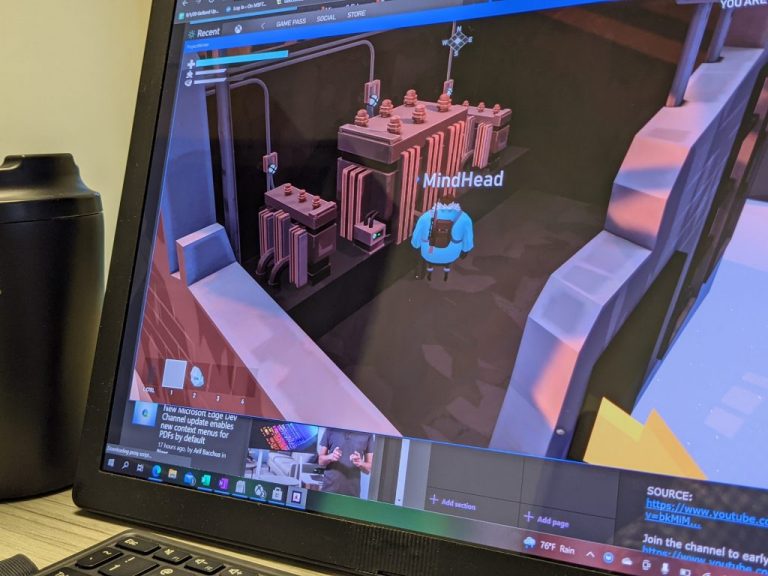
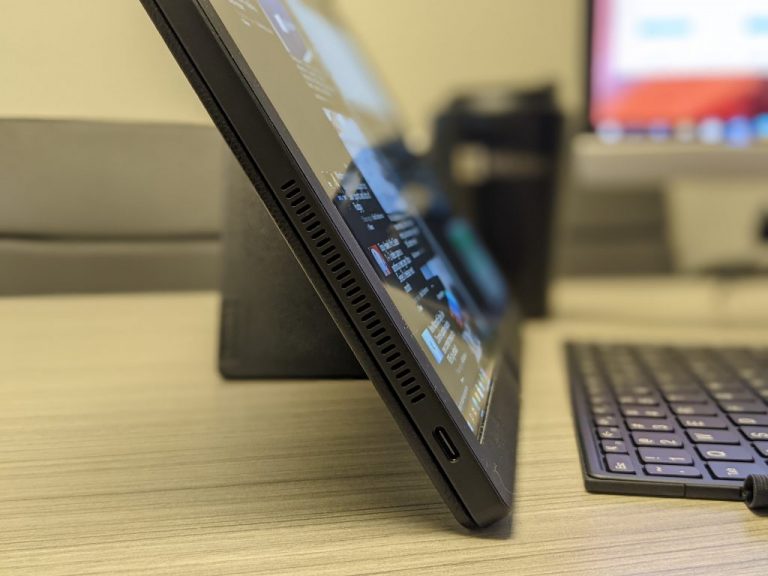
The leather covering acts as a flexible skin for the X1 Fold which slides in and out of place when the device is folded or not. In addition to being a single slab of protection for the Fold, the leather cover also doubles as a built-in kickstand. About one-seventh of the leather protector folds outward to help prop up the X1 Fold in a semi-horizontal orientation. The integrated design takes what Microsoft did with the Surface Pro one step further. Instead of having to attach a secondary cover to protect the screen as well as engineer another mechanical moving part, Lenovo combined both functions into a slick single point of user friction. Unfortunately, the X1 Fold’s origami only works in landscape or vertical orientations, when in vertical perspectives, users are reliant on the folding of the screen to prop up portions of their view.

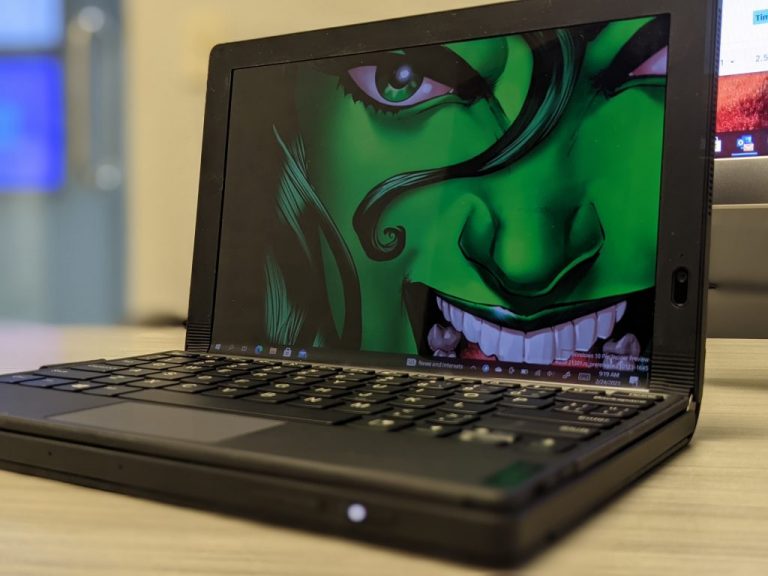
In 2021, screens are increasingly becoming bezel-less but the X1 Fold leans hard into its bezels, almost flagrantly. However, when holding the device, it’s apparent why the bezels remain. In addition to almost cartoonish bezels at this point, Lenovo also coated the X1 Fold’s in a rubberized foam-like material that helps users firmly keep a grip on the 2.2lb tablet computer while also protecting the screen from smacking itself when it’s folded onto itself or dropped, both potential situations further highlight the foresight and attention paid to the X1 Fold’s hardware.

Pxl 20210224 142701690.portrait

On the outer brim of the device are the power button, volume rocker, and two USB-C ports that sit catacorner to one another towards the bottom right corner of the device. According to Lenovo, both USB-Cs can push 10Gbps and one can be used as a display portal to connect to the X1 Fold to a second monitor. Aside from the gen 2 USB-C 3.2 ports, the X1 Fold sacrifices connectivity for portability. There are no other ports, and the placement of the current I/O really discourages the use of dongles to extend connectivity.

Keyboard

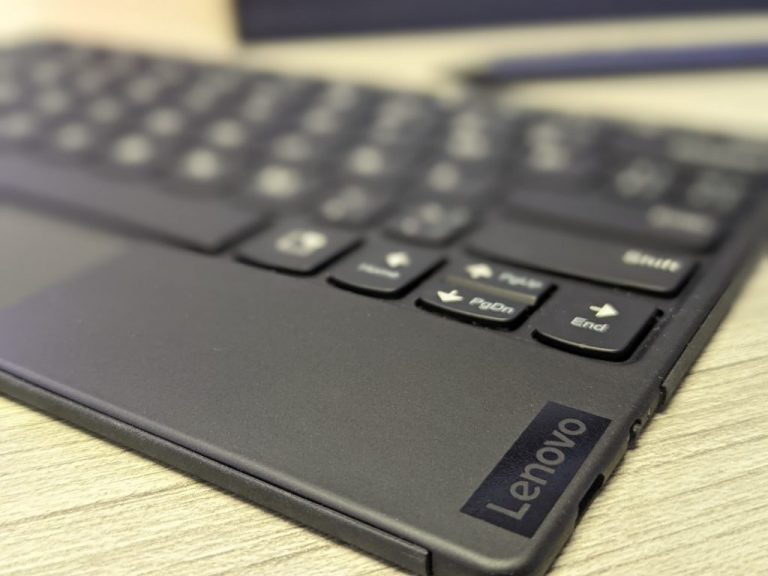
I wanted to review this separately from the main hardware of the Lenovo X1 Fold because, well, it’s its own engineering marvel. While it’s a bit cramped for how I’m accustomed to using a keyboard, the fact that it connects through Bluetooth rather than pogo pins is something that should be standard in 2021 for detachable PCs. I get that introducing Bluetooth connectivity introduces another failure point, but having used several Surface Pro keyboards, having a pogo pin setup isn’t always a guaranteed experience either. Lenovo list the keyboard on its site as the optional: Lenovo Fold Mini Keyboard, but just like the Surface Pro, it’s implicitly needed and comes in the box thankfully.

Pxl 20210224 141852430.portrait

Once again, Lenovo flexes its engineering prowess by subtly adding magnetic connectors to the bezel of the X1 Folds screen that helps secure the keyboard in place when tucked into the folded device. The entire carrying setup of the X1 Fold is seamless and intuitive. Furthermore, the keyboard becomes ultra-handy when touch typing becomes exhaustive. In the L-shape fold of the X1 Fold, you can split the screen between a 9.7-inch viewable area and a 9.7-inch typing experience. Some people can make use of the onscreen keyboard but with some of the software glitches that come with this version of Windows 10 on the Fold, it’s just more convenient to toss the keyboard on the screen and begin typing. When a user is done with the keyboard just leave it on top of the screen and fold the X1 around it and everything fits nice and snug in place. My only complaint is that the keyboard uses a micro-USB as a port for connecting power.

Pxl 20210128 151245895.portrait

The disjointed charging experience is noticeable upon the first charging session. The computer portion of the X1 Fold uses USB-C while users need to scrounge around for a micro-USB to charge the keyboard. One last note about the keyboard is that unlike the Surface Pro, it can’t be positioned beyond a flat 180 degrees, so lap typing or typing on anything other than a completely flat surface is practically out of the question.

Hardware

The Lenovo X1 Fold comes with configurations of up to 1TB PCIe M.2. SSD storage is great for quickly uploading files if you can find a USB-A to USB-C converter. There is also an 8GB LPDDR4X 4267MHz memory that comes equipped. Sadly, due to some software issues, I’ll talk about shortly, every bit of that 8GB crawls on the X1 Fold. Intel chucked a Core i5-L16G7 chip into the X1 Fold capable of up to 3.00 GHz Turbo Boost with 5 cores, 5 threads, and 4MB Cache as well as integrated graphics. The battery on the X1 Fold is about average for a detachable device. Lenovo claims up to 10.4 hours of battery use when testing video playback and while that might be true, I was getting 6 hours steadily for regular computer use. Thankfully, there is a 50Wh battery in the device as well as Rapid Charge Technology onboard.

Pxl 20210224 145157808.portrait

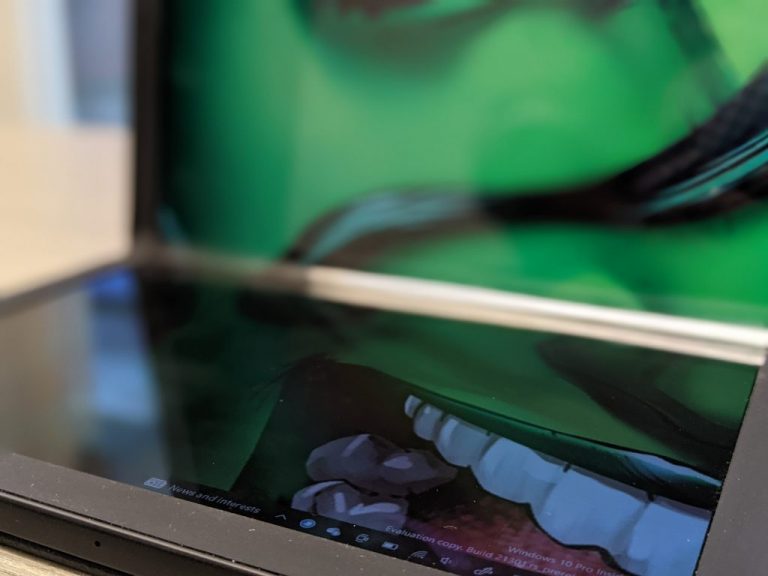
As for the guest of honor, the screen, Lenovo uses a 13.3-inch QXGA foldable 2K OLED, DCI-P3 95% touch, and pen-enabled panel that can push upwards of three hundred nits of brightness. It’s not the brightest panel in 2021 or even in 2019 when it was first engineered but it gets the job done and does it looking like a normal screen when it’s fully unfolded. Perhaps, because of its foldability, the screen does not feel like normal glass to the touch but instead a smooth plastic and it becomes further pronounced when the device is folded and the crease in the middle is visible.

Experience

The actual hardware experience of the X1 Fold is the most intuitive of all detachable or foldable devices in the market, in large part due to its chunky book-like design. The feel in the hand is very reminiscent of a leather-bound book that invites the folding and unfolding of the device. Closing the X1 Fold also comes with a muffled but satisfying click when the two magnet points on opposite bezels connect. Opening and closing the X1 Fold is a treat amongst itself and could constitute a stress-relieving activity (albeit an expensive one) thanks to the smooth hinge process that allows for a measured fold and unfold experience each time. I’m not sure how the folding mechanism would hold over time, but I did a cursory fold test of over three hundred folds in a single sitting and the device responded the same throughout the process.

Speaking of the X1 Fold’s folding experience, it began and ended with opening and closing the device for me. Other reviewers were able to persevere operating the device in an almost seated-L position to get work done, but the crease obscured too much of the viewing for me to concentrate on my work. I found myself simply opening the device-wide to take full advantage of the 13.3-inch screen. I understand the selling point is the folding nature of the screen, but nothing in Windows really takes advantage of that mechanism and in practice, it really only served as a neat new way to condense my workstation.

Pxl 20210224 141940356.portrait

While it may seem like a negative, having the X1 Fold unfurled in all of its 13.3-inch glory also worked in forcing me to use Windows 10 in tablet mode often. When I wasn’t banging out articles, triage emails, or writing ad copy, I found myself using the Fold in tablet mode 80 percent of the time. Which was a newish experience for me, even coming from a Surface Pro 7 Plus. While it’s not the lightest tablet-PC on the market, the leather on the back feels more inviting to the touch than other alternatives, and being able to quickly snap it close without having to scurry for a keyboard cover just reinforced my tablet use of the device.

However, that’s where things mostly fell apart for me.

I’m not sure who to assign blame here, so I won’t, but the Windows 10 experience on the Fold is janky at best and often unusable at worst. Rotation recognition on the X1 Fold is spotty and slow which means that if you found a position to consume media in, don’t lose it because there is a decent chance you may need to restart the device to get back to that orientation. If you’re not fighting the gyroscope, you might numb your fingers double and triple pressing touch points on the screen because they’re registering a touch. A quick but risky fix for the lack of touch response in a particular app could be rotating the app to place the touchpoint in a spot the screen is recognizing at the time, but we know how that could end.

Pxl 20210224 142427894.portrait

More disappointing than some software glitches with Windows 10 is that Microsoft doesn’t seem to be working on its tablet-mode at all. As an Insider, I could weather the development storm of a broken tablet experience if I had some assurance that a solution is in the works. The X1 Fold was designed specifically with Microsoft’s original dual-screen Windows 10X vision in mind but the software company, unfortunately, pulled the rug from underneath its partner. Worse yet, it’s retooling that Windows 10 X for a single screen experience going forward which ostensibly obsoletes the X1 Fold out of the box. Lenovo attempts to cover up the lack of Windows 10X with its own mode-identifying software that will float windows to the middle of the screen and allow a user to toss it to one of the corners in the desktop. However, Windows 10 tablet mode relies heavily on a vertical split-screen paradigm when windowing. For a device that folds in the middle, Microsoft needs to rethink windowing as well as the gestures of the operating system when touch is the primary interface.

Thankfully, touch and type aren’t the only inputs. Lenovo includes a pen with the X1 Fold that has a better registration rate on the screen, so I found myself navigating the OS mostly with a pen that I had to remind myself not to bite as I fidgeted during work hours.

Summary

The technology behind the folding aspect of the X1 Fold is fascinating, but actual productivity from this device is middling, especially for its price. At close to $3,000, users are paying a $1,500 premium for the convenience of being able to fold up their laptops in a semi-new way. With only 8GB and a Core i5 chip, it’s not meant to be a workhorse or even a mainstream creativity device for mass adoption. Couple those points with this janky Windows 10 experience, the X1 Fold at best is an engineering reference device.

On the other side, it’s a ThinkPad with a high price tag which means it’s destined for some executive’s desk who might say why don’t we have our company email client outfitted for my shiny new toy. With that being the case, hopefully, the X1 seeds the land for a flourishing batch of foldables in the future. Lenovo is only half of this equation with Microsoft being the other who needs to figure out Windows 10 X or its Sun Valley update. Windows 10 needs to revisit its tablet mode in a major way that addresses the future of intuitive touch-first thin clients that connect to its robust cloud platform. If it doesn’t it could end up watching some other company capitalizing on its early Windows 8 work.

Share This Post:

The Link Lonk


March 04, 2021 at 12:08AM
https://ift.tt/3bdyGKu

Lenovo ThinkPad X1 Fold: When hardware and software don't mix - OnMSFT

https://ift.tt/2ZUAnWs
Lenovo

Lenovo's capable Chromebook Duet is cheaper than ever on Amazon - Yahoo Tech

lenovo.indah.link

If you're looking for a Chromebook that's a bit more flexible than your average laptop, Lenovo's Chromebook Duet is a good option. As a 2-in-1 tablet with a detachable keyboard, it almost fills the void left by the Chrome OS tablets of yesteryear while still being a relatively solid (if small) laptop. Amazon's having a sale on the Duet that knocks the price down to $231.46, which is roughly $48 off its normal price and a record low.

Buy Lenovo Chromebook Duet at Amazon - $231.46

The base model is the one on sale, which has a 10.1-inch 1920 x 1200-resolution display, a MediaTek Helio P60T processor, 4GB of RAM and 64GB of storage. The upgraded model with 128GB of storage isn't discounted on Amazon, but you can grab it at Best Buy for $250, which is $50 off its normal price. It's not necessary to shell out the extra money for the upgraded model if you already have all of your files stored in Google Drive or another cloud storage system. But if you simply feel more comfortable having more storage space on your laptop, you have that option with the Duet.

We gave Lenovo's Chromebook Duet a score of 79 for being a surprisingly competent Chrome OS device. It's 10-inch display may be on the small side, but it's responsive, bright and easy to use either in tablet or laptop mode. You also get the keyboard cover included when you buy the Duet, something that can't be said for many other 2-in-1 devices.

The Duet's MediaTek processor and 4GB of RAM were enough to keep Nathan Ingraham running for a full work day. He only had to adjust his workflow to accommodate the Duet's smaller screen, which meant organizing browser tabs in a more creative way and closing out of programs he wasn't actively using. The Duet impressed him with its 10-hour battery life as well, allowing him to work for an entire day without problems.

The Duet's small size is arguably its biggest weakness, but if you can handle working on such a small screen or only plan on using it as a secondary device, it should serve you well. But keep in mind that the Duet only has one USB-C port, a power button and a volume rocker — that means no headphone jack, which might be a dealbreaker for some, and a commitment to the dongle life for now.

Follow @EngadgetDeals on Twitter for the latest tech deals and buying advice.

The Link Lonk


March 03, 2021 at 08:58PM
https://ift.tt/3kGpEJ2

Lenovo's capable Chromebook Duet is cheaper than ever on Amazon - Yahoo Tech

https://ift.tt/2ZUAnWs
Lenovo

Lenovo laptop deals: Get a Yoga 7i or ThinkPad X13 for under a grand - CNET

lenovo.indah.link

Deal

Savings

Price

Show more (2 items)

Lenovo is refreshing many of its laptops lines in the coming months with 11th-gen Intel or AMD Ryzen 5000 processors, the latest Wi-Fi standards and enhanced security features among other changes. The new models will begin rolling out later this month through May, but if you are ready to upgrade now, many of Lenovo's current laptops on sale this week. You'll find huge price cuts on a wide variety of laptops, from business-class ThinkPads to two-in-one convertible Yogas to a high-powered Legion gaming laptop.

For my money, the best deal going is the ThinkPad T14s for a very reasonable $850 or the ThinkPad X13 AMD for $970. Each lacks the latest Intel silicon but provides enough muscle for most office tasks inside a trim, rugged chassis.

Lenovo's new Yoga 7i and 9i two-in-one convertibles on the Intel Evo platform are also both on sale along with our favorite premium business convertible, the ThinkPad X1 Yoga. For gamers, a high-powered Legion 7i gaming laptop is marked down.

You'll need discount codes for some of these Lenovo deals, which we've listed below, but they should appear on the Lenovo page, too. Now let's dive into the deals and find you a new Lenovo laptop. We'll keep this page updated with all the latest Lenovo deals.

Lenovo

You can get a well-equipped model of Lenovo's flagship ThinkPad for $1,643 with code THINKMAR. It features a 10th-gen Core i5 CPU, 16GB of RAM and a 512GB solid-state drive. The 14-inch display offers full HD (1,920x1,080-pixel) resolution and is rated for 400 nits of brightness.

Lenovo

This ThinkPad X13 is a 13-inch ultraportable for those who can't afford the high prices of the X1 Carbon. The price of this AMD-based sale model is more than half off with the code THINKDEAL and it features a Ryzen 5 CPU, 16GB of RAM and a 512GB SSD. The 13.3-inch display should be crisp and bright with a Full HD resolution and is rated for 500 nits.

Joshua Goldman/CNET

Our favorite two-in-one laptop for the business set, the ThinkPad X1 Yoga boasts an abundance of hardware options and security features wrapped up in a thin, light aluminum frame. This model gives you an eighth-gen Core i5 CPU, 16GB of RAM and a 512GB SSD. It also includes the ThinkPad Pen Pro. The 14-inch screen has an FHD resolution and 400 nits of brightness.

Read our Lenovo ThinkPad X1 Yoga Gen 4 review.

Lenovo's new midrange two-in-one convertible laptop/tablet is already on sale. It features the same design as the Yoga C740 it replaces but inside has received an update to Intel's 11th-gen CPUs. This sale model is $379 off with code YOGASALE7 features an 11th-gen Core i7 chip, 8GB of RAM and a 512GB SSD. Its 15-inch touch display can rotate 360 degrees into tablet mode and is rated for an impressive 500 nits of brightness. With its 11th-gen Core chip, the Yoga 7i gets Intel's Evo label, which means among other things that the laptop has oodles of battery life, fast-charging and the ability to wake from sleep instantly.

Lenovo

Trade the lower-end Legion 5i's plastic chassis for all-aluminum sleekness and you get the Legion 7i. This discounted configuration with code LEGIONARDYSALE3 features a 10th-gen Core i7 CPU, 16GB of RAM and Nvidia GeForce RTX 2070 Max-Q graphics. You also get not one but two solid-state drives, a 1TB SSD and a 512GB SSD. The 15.6-inch FHD display should be fast and bright: It has a 240Hz refresh rate and is rated for 500 nits of brightness.

Josh Goldman/CNET

Lenovo's new premium two-in-one convertible features 11th-gen Intel processors for better performance and battery life, but the rest of the package sticks to last year's script for the Yoga C940. You can save $500 with code LIMITEDSALE21 on this loaded 14-inch configuration that features an 11th-gen Core i7 chip, 16GB of RAM and a 1TB SSD.

Read our Lenovo Yoga 9i review.

Lenovo

Lenovo's ThinkPad T series is second only to the company's flagship X1 Carbon line in the ThinkPad pecking order. The ThinkPad T14s is a slimmer version of the ThinkPad T14, though not quite as thin as the flagship ThinkPad X1 Carbon. This configuration is deeply discounted with code THINKDEAL and features a 10th-gen Core i5 CPU, 8GB of RAM and a 512GB SSD. The 14-inch display features a full HD resolution and 250 nits of brightness.

Now playing: Watch this: Hands-on with the first folding-screen laptop, the Lenovo...

4:29

The Link Lonk


March 03, 2021 at 10:43PM
https://ift.tt/386MULa

Lenovo laptop deals: Get a Yoga 7i or ThinkPad X13 for under a grand - CNET

https://ift.tt/2ZUAnWs
Lenovo

Lenovo teases Legion 2 Pro’s dual turbo cooling system - GSMArena.com news - GSMArena.com

lenovo.indah.link

On a Weibo post, Lenovo has posted a teaser for its upcoming successor to its Legion gaming phone. In addition to featuring active twin cooling fans, Lenovo’s general manager has also officially confirmed that this device will be called the ‘Lenovo Legion 2 Pro’.

When roughly translated, the poster reads: “Double adjustable fan turbo cooling system” and at the bottom it says, “A new storm has appeared, you can crush everything.”

Lenovo also confirms that the Legion 2 Pro will be powered by the Qualcomm Snapdragon 888 chipset. There’s still no hint as to when the handset will release outside of the promised “spring” release window.

Lenovo teases Legion 2 Pro’s dual turbo cooling system

In a teaser post from last week, Lenovo’s GM promised that the phone would be “feature packed” and won’t make compromises when it comes to the smartphone’s gaming aspect. The phone may arrive with up to 16GB of RAM, and perhaps and AMOLED screen with 144Hz refresh rate.

The Legion’s successor is expected to pack at least a 5,000 mAh battery. Other expected specs are UFS 3.1 storage, and LPDDR5 memory.

Source • Via

The Link Lonk


March 03, 2021 at 02:25PM
https://ift.tt/2MMPnmM

Lenovo teases Legion 2 Pro’s dual turbo cooling system - GSMArena.com news - GSMArena.com

https://ift.tt/2ZUAnWs
Lenovo

Tuesday, 2 March 2021

Lenovo ThinkPad E15 is now £200 off in huge laptop deal - Laptop Mag

lenovo.indah.link

Working from home? You need good tools to do so, and one of those comes in the form of a laptop with enough power to get stuff done. 

Enter the Lenovo ThinkPad E15, which right now at Laptops Direct is available for £200 off. Grab yours for just £799.97.

Lenovo ThinkPad E15: was £999 now £799 @ Laptops Direct
This configuration of the beasty ThinkPad E15 sports a 15.6-inch FHD display up top and a sleek design all round. Under the hood, there’s a 10th Gen Intel Core i5 CPU with integrated UHD graphics, 8GB DDR4 RAM and a 256GB SSD.View Deal

If you’re in the market for a laptop that puts work first, Lenovo’s ThinkPads rank high as some of the best business laptops out there. It is a functional direction in hardware design with a good display and comfortable keyboard for long typing sessions, paired with plenty of power for productivity and decent battery life for on-the-go working.

The ThinkPad E15 does not break that trend with a vivid 15.6-inch FHD panel, Intel Core i5-10210U CPU, 8GB DDR4 RAM and 256GB of SSD storage. All of this, alongside a built-in webcam and Skype for a business-certified microphone, makes for an all-in-one solution for meetings and work.

Plus, as you’d expect, you’ve got all of the working quality of life integrations that you need like a discrete TPM 2.0 chip for security and Lenovo’s business software suite. All this results in an ideal laptop for the hard workers out there made even better at a lower price.

The Link Lonk


March 02, 2021 at 09:14PM
https://ift.tt/3rdND4G

Lenovo ThinkPad E15 is now £200 off in huge laptop deal - Laptop Mag

https://ift.tt/2ZUAnWs
Lenovo

Featured post

[MWC 2021] New Lenovo Yoga Tab Android tablets take home entertainment to the next level - Techaeris

lenovo.indah.link Over the past few days, we’ve brought you the latest in MWC 2021 news. Virtual once again this year, the news is still c...

Popular Posts