Working from home? You need good tools to do so, and one of those comes in the form of a laptop with enough power to get stuff done.
Enter the Lenovo ThinkPad E15, which right now at Laptops Direct is available for £200 off. Grab yours for just £799.97.
Lenovo ThinkPad E15:was £999 now £799 @ Laptops Direct
This configuration of the beasty ThinkPad E15 sports a 15.6-inch FHD display up top and a sleek design all round. Under the hood, there’s a 10th Gen Intel Core i5 CPU with integrated UHD graphics, 8GB DDR4 RAM and a 256GB SSD.View Deal
If you’re in the market for a laptop that puts work first, Lenovo’s ThinkPads rank high as some of the best business laptops out there. It is a functional direction in hardware design with a good display and comfortable keyboard for long typing sessions, paired with plenty of power for productivity and decent battery life for on-the-go working.
The ThinkPad E15 does not break that trend with a vivid 15.6-inch FHD panel, Intel Core i5-10210U CPU, 8GB DDR4 RAM and 256GB of SSD storage. All of this, alongside a built-in webcam and Skype for a business-certified microphone, makes for an all-in-one solution for meetings and work.
Plus, as you’d expect, you’ve got all of the working quality of life integrations that you need like a discrete TPM 2.0 chip for security and Lenovo’s business software suite. All this results in an ideal laptop for the hard workers out there made even better at a lower price.
Prior to writing and translating for Notebookcheck, I worked for various companies including Apple and Neowin. I have a BA in International History and Politics from the University of Leeds, which I have since converted to a Law Degree. Happy to chat on Twitter or Notebookchat.
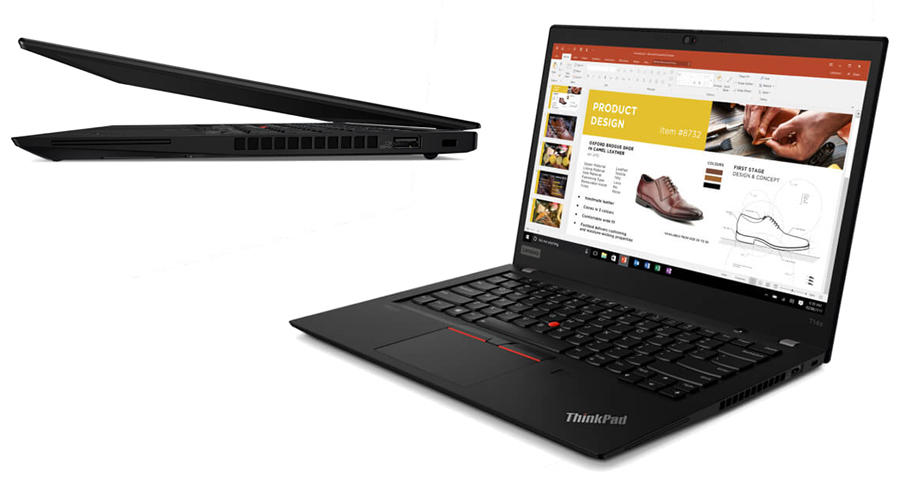
Lenovo's laptop portfolio can appear daunting, not least because the designs are pretty consistent across the range. Still, support for AMD processors in the 14-inch ThinkPad T14s is relatively rare, so although Intel CPUs are also available, I opted for an AMD model to review.
The AMD-based ThinkPad T14s can accommodate up to 32GB of RAM and 1TB of PCIe SSD storage, and there are touch-screen variants with Lenovo's PrivacyGuard, which limits screen viewability. Intel-based ThinkPad T14s models, by contrast, offer up to 2TB of SSD storage and Thunderbolt 3 support on their USB-C ports. There's also a 4K screen option, while the AMD T14s doesn't go above FHD.
The ThinkPad T14s runs on AMD Ryzen 5 Pro 4650U or Ryzen 7 Pro 4750U processors with integrated AMD Radeon Graphics (Intel-based models are also available). The FHD 14-inch screen is available at 250 nits (non-touch), 300 nits (touch), 400 nits (non-touch, low power) and 500 nits (touch, with PrivacyGuard).
Images: Lenovo
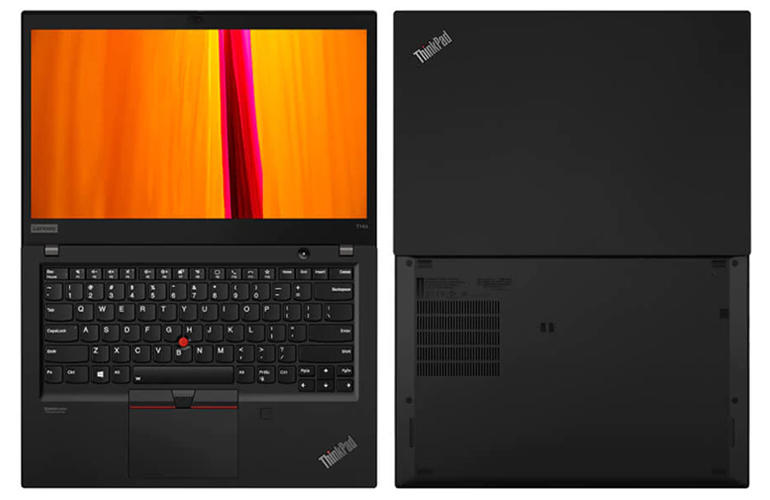
Design-wise, the ThinkPad T14s looks like a typical ThinkPad -- black chassis with silver ThinkPad logo in one corner, with a red light-up dot for the 'i' in 'ThinkPad'.
The magnesium alloy chassis makes this a sturdy laptop, which has passed MIL-STD 810G testing. The ThinkPad T14s is also relatively lightweight for a 14-inch laptop, at 1.27kg. It's thin, too: 16.1mm for the non-touch version, or 16.7mm with a touch-screen.
My review unit was a non-touch model and so lacked PrivacyGuard, which is only available on the 500-nits touch-screen variant. From past experience, PrivacyGuard (which can be toggled on and off using a Fn key), renders the screen unreadable to anyone who isn't looking at it head-on. Two other Lenovo privacy features are present in all T14s variants: a ThinkShutter sliding cover for the webcam and a fingerprint scanner to the right of the touchpad.
The screen configurations also have a very slight effect on the desktop footprint: touch-screen units measure 226.15mm by 328.8mm, while non-touch models come in at 225.8mm by 329mm.
Top ZDNET Reviews
The 14-inch screen sits in what are by today's standards rather deep bezels. The bottom bezel is the deepest by some distance, while the upper bezel leaves more than enough room for the webcam. The overall look is workaday rather than sleek.
All screen options share the same FHD (1,920 x 1,080) resolution and have a non-reflective finish, which is welcome. Brightness levels range from 250 nits to 500 nits for the touch-screen/PrivacyGuard option. The lower screen brightness won't suit everyone, so consider your choice carefully.
Sound is output by a pair of 1W speakers with small grilles on the underside of the chassis. Audio is also pushed up through the keyboard , so there was no audio muffling when working with the ThinkPad T14s on my lap. There's plenty of volume, and while bass tones are a bit lacking there's no distortion at 100% loudness.
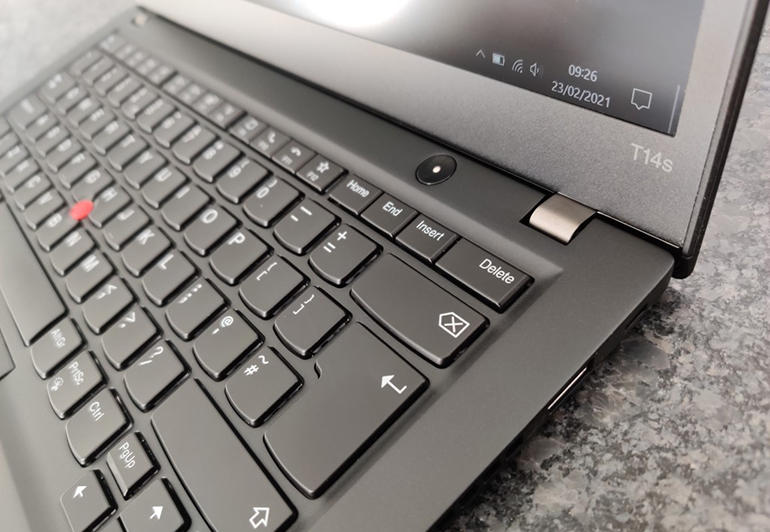
The LED backlit, spill-resistant keyboard is a highlight, delivering a firm and responsive action.
Image: Sandra Vogel / ZDNet
The keyboard is up to Lenovo's usual high standards. The large pot-bellied QWERTY keys are easy to hit at speed, the Enter key is double height and wider than the standard keys and the Fn row keys are larger than you might expect. The Fn row has two dedicated keys for making video calls as well as one for turning the microphone on and off, all of which will be handy as we rely so much on video calling rather than in-person meetings these days. As usual for Lenovo, there's a shortcut to the Windows snipping tool on the PrtSc key.
The keys emit a slight click when used, but typing is a relatively quiet process. The action is springy and bouncy, with no flex in the keyboard, and touch-typing is no problem. There's a TrackPoint between the G, H and B keys, with three buttons above the touchpad for use with it.
The AMD Ryzen 7 Pro 4750U processor powering my review sample did a fine job. It kept multiple browser windows open, allowed me to stream video without pause, and let me to do all of my usual web-based and other productivity tasks with no waiting or other issues. My review model came with 16GB of RAM and a 512GB SSD and a 400-nit non-touch display. The cost of this configuration is £1,395 (ex. VAT; 1,674 inc. VAT) in the UK, or $1,588.80 in the US (with current discount applied).
Battery life is very good, too. Lenovo claims that the 57Wh battery will last for up to 17.4 hours and my usual three-hour workload test -- which involves writing into web apps, browsing, and streaming music and video -- drained a full battery by just 19%. That suggests a total battery life of just under 16 hours, which is impressive.
Rapid charging with the 65W adapter will, Lenovo says, take the battery from 0% to 80% in an hour. I tested rapid recharging at a random point during a working day, when the battery was at 59%. After 15 minutes it had reached 73% (+14%), and after half an hour it had recharged to 85% (+26%).
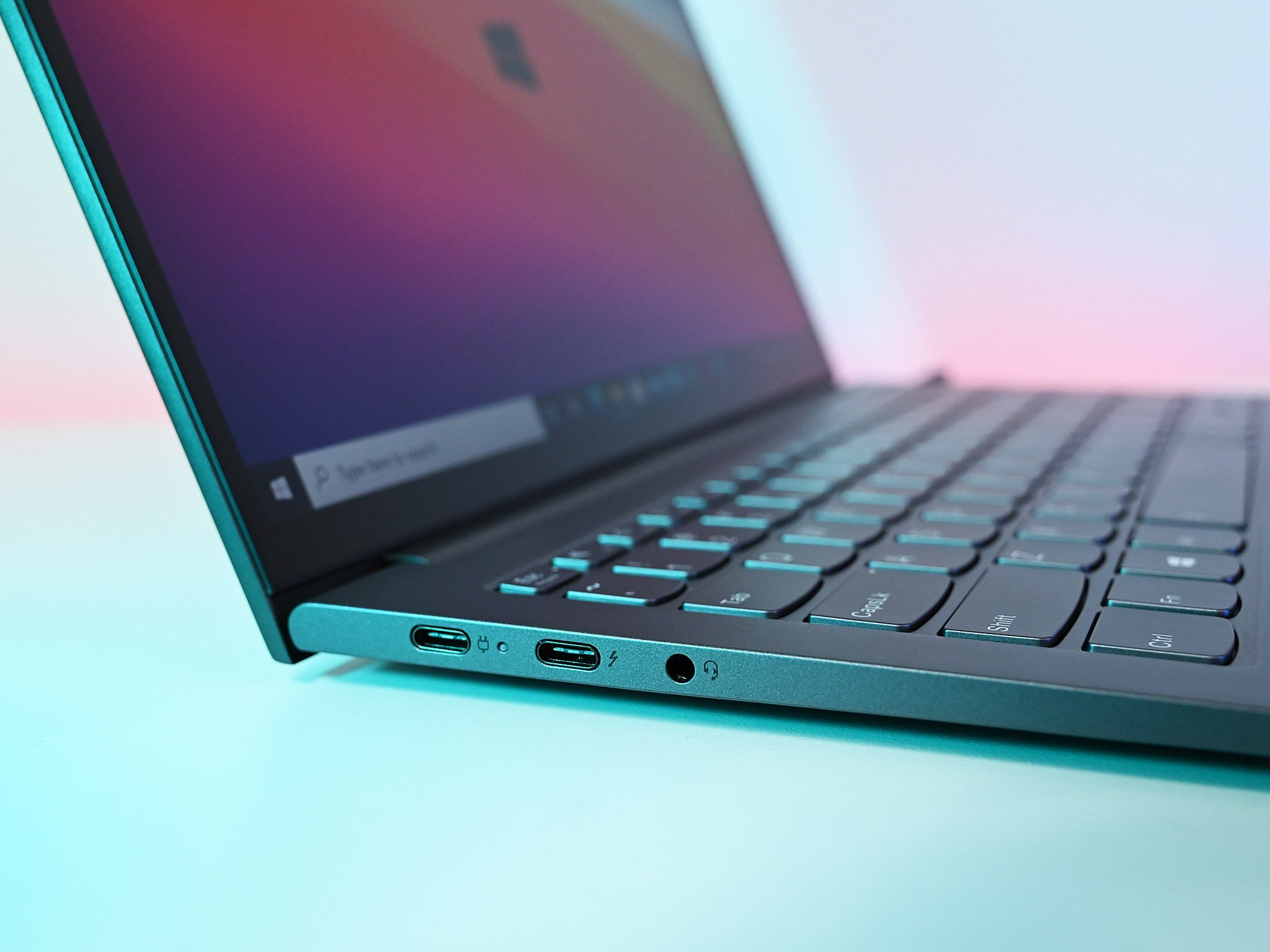
There are two USB-C ports, one of which will be occupied when the laptop is charging, and two USB 3.2 ports, plus a full-size HDMI port and a Lenovo docking connector that can also provide Ethernet connectivity via a proprietary cable. There's also a 3.5mm audio jack. A smartcard reader is an optional extra, as is 4G LTE mobile broadband.
Images: Lenovo
Conclusions
An excellent keyboard, solid build and good performance are real plus points for the AMD-based ThinkPad T14s, while PrivacyGuard screen viewing protection is nice if you're prepared to pay for the 500-nits touch-screen. Battery life is good too, and there are plenty of ports and connectors. But if you want a 4K screen, Thunderbolt 3 support or a 2TB SSD, you'll need to choose an Intel-based model.
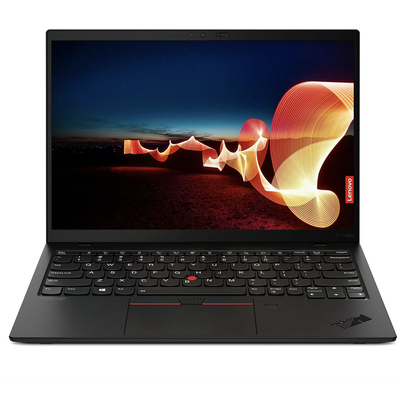
The Lenovo ThinkPad X1 Nano laptop was only announced a few months ago, and the first reviews only just started cropping up. Yet here we are with a truly fantastic discount on a really good laptop. You can get the X1 Nano for just $1,149.99 through Lenovo's eBay store, which is $577 less than what the laptop was selling for in February. If you look on the Lenovo website, where this deal price is also available, you'll find configurations with less storage and RAM going for more.
New Discount
Lenovo X1 Nano Laptop
You'll get USB-C ports, Bluetooth, Wi-Fi, a built-in mic and webcam, and more. It has a 13-inch screen with 2160 x 1350 resolution, an Intel Core i5 processor, Intel Irix Xe integrated graphics, 16GB RAM, and a 512GB solid state drive.
$1149.99 $1727.00 $577 off
This laptop basically takes the super popular X1 Carbon, improves upon it, then puts everything in a smaller, lightweight package. The ultra-slim computer weighs less than two pounds, almost half a pound lighter than the Carbon, even though it's the same height as the X1 Carbon.
The Nano is the first Lenovo laptop to use the Intel Evo platform, which promises a great combination of power, battery life, and responsiveness. It is powered by an Intel Core i5 11th-generation processor with up to 1.80GHz speeds, 16GB RAM, a 512GB solid state drive, and Intel's Iris Xe integrated graphics. The battery life can last for up to 13 hours, and with Rapid Charge you can go from 0 to 80% in less than an hour.
Enjoy the beautiful 13-inch display with 2160 x 1350 pixel resolution and an IPS panel. It has an anti-glare coating, supports Dolby Vision, and can have a brightness of 450 nits. You'll also get Bluetooth 5.1, Wi-Fi 6, and USB-C ports for fast data transfers. There's a built-in webcam and mic, too, so you can use this laptop to work from home and still be able to participate in all those amazing video meetings.
The operating system is Windows 10 Pro, and the Nano is covered by a one-year warranty from Lenovo.
We may earn a commission for purchases using our links. Learn more.
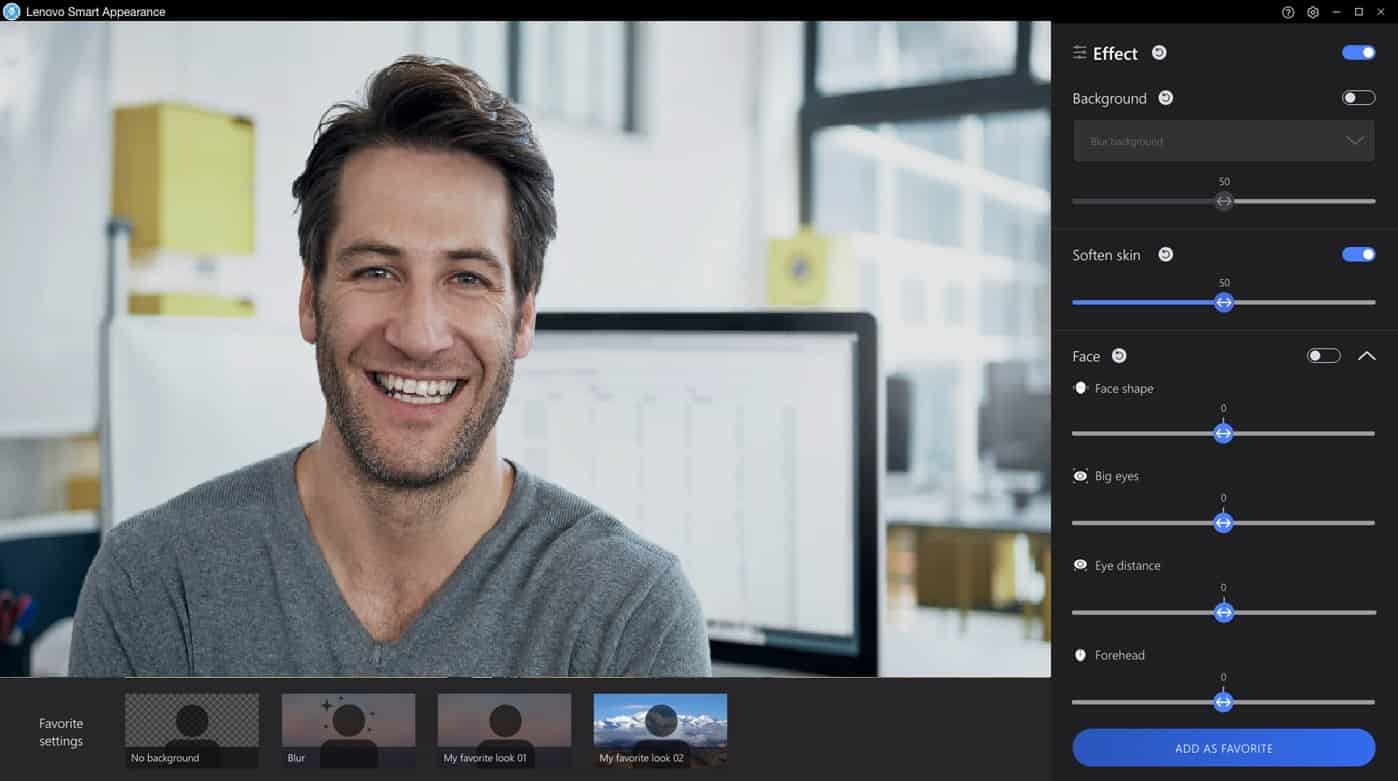
If you're not thrilled with how you look in video calls and conferences, Lenovo has an app that might come in handy. The Lenovo Smart Appearance app allows you to tweak and control several aspects of how you appear on camera, including your background and several other effects. Its unique feature, however, is that you can use the Lenovo Smart Appearance app to alter your face.
In this case, altering your face isn't about putting a fun filter to look like a cheeseburger, a popular effect in some of our Windows Central video calls. Instead, you can use the Lenovo Smart Appearance app to alter your face shape, the size of your eyes, the distance between your eyes, and the size of your forehead. It's a much more aggressive approach to altering how you appear on a webcam than seen in other apps.
Here's the full description of the app from its Microsoft Store listing:
Lenovo Smart Appearance helps you enhance camera effects, especially for video conferencing. It provides multiple functions such as smart configuration of facial features, background blur, and other effects in scenarios that use the camera. Lenovo products supported: ThinkBookPlus Gen2i, ThinkBook 13xi, ThinkBook 14p Gen 2,ThinkBook 16p Gen 2.
Announced at Microsoft’s virtual Ignite conference, the company is today introducing new Outlook features for Outlook Web and the Outlook Mobile apps that will help customers better manage their time with new suggested times and free-form board views.
This is typically a pretty uneventful time of year for big sales on tech, but this is precisely when Lenovo has decided to mark down gear sitewide, with discounts of up to 70% on laptops and accessories. The biggest deals appear to be on older models, but if you don't need the bleeding edge in processor speeds (and you probably don't) this could be a good time to get a laptop at an discount.
Sweetening the deal, Lenovo is doubling reward points on all electronics, so it pays to be logged in with your MyLenovo account. Don't have one? It's free, so sign up before you buy anything. You can browse all the deals on Lenovo's website -- laptops, desktops, electronics and accessories -- or check out our pick of some of the best deals you can get on the site right now.
Lenovo
Running a new 11th-generation Intel Core i3 with a generous 1TB SSD, this 15.6-inch laptop usually sells for $1,500 but can be had for $600 with promo code THINKDEAL.
Bose
The successor to the QuietComfort 35 II, the Bose Noise Cancelling Headphones 700 usually sell for $379. You can read CNET's full review of the 700s for more details.
You can save $110 on the 15.6-inch Lenovo IdeaPad 3 when you apply promo code IDEA3DEAL2 at checkout. This Intel Core i5 also brings 8GB RAM and a 1TB SSD.
Lenovo
This ThinkPad X390 Yoga is a 2-in-1 convertible, equipped with an 8th-generation Intel Core i5, 13.3-inch touchscreen and 256GB SSD.
CNET Cheapskate
Get all the latest deals delivered to your inbox. It's FREE!
CNET's deal team scours the web for great deals on tech products and much more. Find more great buys on the CNET Deals page and check out our CNET Coupons page for the latest promo codes from Best Buy, Walmart, Amazon and more. Questions about the Cheapskate blog? Find the answers on our FAQ page.
If your eyes are too close together or your forehead too tall, and it is getting in the way of you closing your deal, Lenovo has the solution for you.
Their Lenovo Smart Appearance app lets you apply a filter to your video stream prior to broadcasting it over Zoom or Microsoft Teams, subtly adjusting it to make you look like a winner.
Lenovo notes:
Lenovo Smart Appearance helps you enhance camera effects, especially for video conferencing. It provides multiple functions such as smart configuration of facial features, background blur, and other effects in scenarios that use the camera.
Of course, such a serious product is only available on Lenovo’s latest business machines – the ThinkBookPlus Gen2i, ThinkBook 13xi, ThinkBook 14p Gen 2, ThinkBook 16p Gen 2.
Note however that the app will not, in fact, turn you into a cat, which remains its greatest failing.
If you have a qualifying device, find it in the Store here.