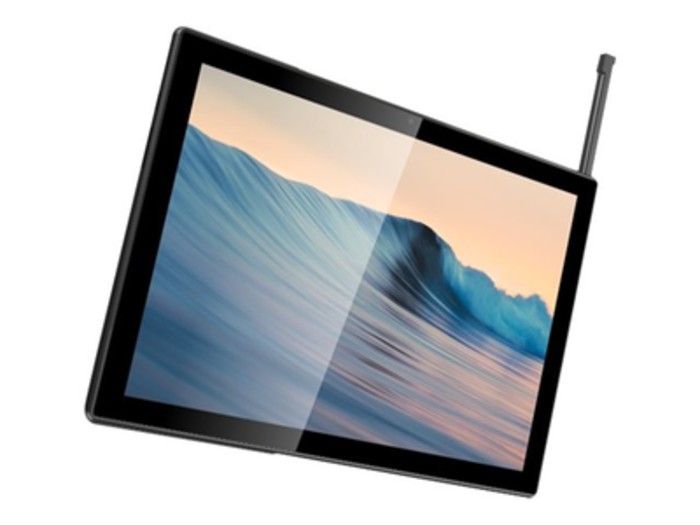
Specs and images have leaked online detailing the Asus Chromebook Flip CM3000, a Chromebook tablet which looks set to rival the Lenovo IdeaPad Duet.
According to information leaked by Chrome Unboxed, the so-called Asus CM3000 — allegedly in development under the codename Saturn — will use a MediaTek MT8183 processor and come with a 10.5-inch full HD display and detachable keyboard.
The device looks to be shipping with the ‘Flip’ branding based on various listings found online (this German retailer seems the most comprehensive), but won’t be a foldable laptop like the others in the Flip range.
Instead, the Asus Chromebook Flip CM3000 will be an ARM-powered tablet equipped with a keyboard, kickstand back (which pictures suggest may accommodate both portrait and landscape modes) and stowable USI pen.
Other reported features include a 3.5mm audio jack and a keyboard cover with a soft-touch fabric surface to magnetically attach it to the tablet — much like those used on Microsoft's Surface convertibles (like the Surface Pro 7).
(Image credit: Asus / Saturn)
An uncrowded market
News of a new Chrome OS-powered tablet is big given the few comparable devices on the market right now. The Lenovo IdeaPad Duet has been the front-runner since its introduction in 2020, though the new Asus Chromebook Flip looks set to be the first device to rival its success.
It doesn’t look to be improving much upon the specs of the Duet — its MediaTek processor is pretty much a reheated version of the Lenovo’s Helio processor — but the Asus will come with a slightly larger screen (0.4-inch larger than the Duet) and some menial features, like the audio jack and magnetic cover, not seen on its competitor.
Interestingly, the Chromebook Flip CM3000 doesn’t seem to improve on the Duet’s resolution specs despite its slightly larger screen, and its increased size makes it that little bit heavier, so the jury is out on whether it marks an improvement or simply a competitive rival. Given that the Duet has largely stood alone in the market as the only real Chromebook tablet option, we’ll safely assume the latter.
(Image credit: Lenovo)
Another part of the Lenovo Duet’s appeal was its exceptionally-reasonable price tag. At $299 (or £299.99 in the UK and around AU$399), we described it as “the best value you're going to find in a portable device of its kind, hands down.”
Though details are still unconfirmed at this stage, listings suggest the Asus Chromebook Flip CM3000 will ship for over $500 (that’s around £350 or AU$399), making it significantly more expensive than its Lenovo counterpart despite not packing a whole load of improved features.
It’s worth noting that the Lenovo Duet was reported to have cost less than it ended up costing upon release, so it’s wise to take any reported price tags with a pinch of salt. In any case, the Asus Chromebook Flip CM3000 looks set to finally offer some competition in the Chrome-powered tablet market.
Lenovo is currently running their Think Sale where you can pickup the ThinkPad L390 2-in-1 laptop on sale for just $660 – over $900 off the standard retail price.
Lenovo's Think Sale offers massive discounts on some of their most popular models, with savings of up to 70% off select laptops for a limited time. Probably the best deal we've seen during the sale, Lenovo's L390 2-in-1 is getting one of its largest price cuts ever with over $900 in savings!
Lenovo ThinkPad L390 Yoga 2-in-1 Laptop
Now Starting: $660 | Was Starting: $1,600 | Savings: $940 (58%) Now at it's lowest price ever, grab Lenovo's ThinkPad L390 Yoga 2-in-1 starting at just $660! Powered by an 8th Gen Intel i3, 4GB DDR4 RAM, and a 256GB SSD, you're getting one heck of a machine at this price. Don't miss out on this incredible deal, it'll be gone before you know.View Deal
Lenovo offers some of the best laptops for students, work use and personal use. The ThinkPad line leads the pack in value and functionality, offering premium features and performance at incredible prices.
The ThinkPad L390 Yoga 2-in-1 offers one of the most versatile laptops around, providing plenty of power under the hood for almost any task while combining the versatility of a tablet into a laptop.
Powered by Intel's 8th Gen i3 CPU and coupled with 4GB DDR4 RAM and a 256GB SSD, you get plenty of power and storage out of the box. Handle everything from basic browsing and streaming, editing, and more with ease. The storage may bit a bit on the lower side for some, though.
That's why we do recommend with this laptop looking into a secondary external hard drive for your studies. While the 256GB SSD is fast and responsive, this may be a little bit on the low side for those with intense schedules. Thankfully, there are a ton of external hard drives on sale at Best Buy right now you can pick up.
Not sure which external hard drive you should grab? Head on over to our guide to the best external hard drives to find the one that's right for you.
Today's Hottest Deals
Find some of the best deals happening right now at your favorite retailers. We cover the hottest deals around the net every day, from tech to home, outdoor gear and more. You'll find the best offers of the day right here!
Editor's Recommendations
We at T3 want to help you find the best deals on your favorite products. For more news, reviews, and great deals – as well as helpful buying guides – check out the articles below:
The Lenovo IdeaPad 3 is one of the best laptops for the money. If you're looking for an affordable machine for school, work and everything in between, you'll love this deal.
Currently, Walmart has the Lenovo IdeaPad 3 on sale for just $449. Normally, this laptop costs $599, so that's $150 off its regular price. It's one of the lowest prices we've seen for this configuration. As far as laptop deals go, it's among the best we've seen so far this year.
Lenovo IdeaPad 3 deal
Lenovo IdeaPad 3 15.6" Laptop:was $599 now $449 @ Walmart This excellent laptop deal takes $150 off the 2020 Lenovo IdeaPad 3. It packs a 15.6-inch 1080p display, a 1.0-GHz Core i5-1035G1 quad-core CPU, 8GB of RAM, and 258GB SSD. It's a solid pickup if you're looking for a laptop under $500.
This IdeaPads specs sheet includes a 15.6-inch (1920 x 1080) display, 1.0-GHz Core i5-1035G1 quad-core CPU, 8GB of RAM, and 258GB SSD. That's ample power for day-to-day functions like creating documents, managing emails, web browsing, and streaming media.
Although we didn't test this exact model, Lenovo laptops generally offer great performance, a comfortable keyboard, and solid build quality. It also has a decent amount of ports to connect peripherals; you get two USB 3.2 ports, a USB 2.0, HDMI port, and a 3.5mm headphone jack.
With a weight of 3.7 pounds and measuring 14.25 x 10.0 x 0.79 inches, the IdeaPad 3 is on par with the Acer Aspire 5 (3.8 pounds, 14.3 x 9.9 x 0.7 inches). By comparison, it's lighter and smaller than the Acer Aspire E 15 (5 pounds, 15 x 10.2 x 1.2 inches).
If you're bargain hunting for a cheap but good laptop under $500, at $449, the Lenovo IdeaPad 3 deal is a no brainer.
ASUS may be prepared to tread where Lenovo has gone before with a new Chrome OS tablet, complete with kickstand and keyboard cover. Intelligence suggests that the so-called Chromebook Flip device could have nearly the same spec footprint as last year's Duet. And in fact, the few spots where things differ, this new tablet could come out bigger and better.
The pictures we're sharing here and spec lines come from German retailer Saturn as picked up by Chrome Unboxed — that publication suggests other sources have extra information — and they tell a strange story.
The so-called CM3000 — apparently, it comes under codename Saturn — uses MediaTek's MT8183 processor which itself is pretty much a reheated version of the Lenovo Duet's Helio P60T in that they mainly both sport four Arm Cortex-A73 cores and four A53 cores with all of them capable of maximum clock of 2GHz.
The screen diagonal gains 0.4" with no change in resolution, but it does result in a larger overall footprint and more mass. ASUS also found that it could afford a 3.5mm audio jack here and has designed the keyboard cover with its soft-touch fabric surface to magnetically attach to the tablet — like Microsoft's Surface convertibles do and unlike the Lenovo Duet. The one sore spot for the CM3000 is back with the display as its top brightness of 320 nits seems to underperform against the Duet's 400 nits.
Otherwise, the rest of the sheet lines up.
We're a little less sure about Chrome Unboxed's inclusion of this picture in its media package which suggests that the tablet comes with a silo for an included stylus, especially as one of the Saturn-hosted oblique profile shots includes a clear view of the complete top edge of device with no port visible where the pen would be. That said, we're not foreclosing the possibility that a stylus would have a fitting home on the keyboard cover and be included with sale.
As it is, Saturn has floated a price of €449 as a placeholder, but when you consider that a similarly-loaded Lenovo Duet sold for $279 at launch, we think this is best left open to discussion.
We have Lenovo to thank for the success of 2-in-1 laptops. It was the original Yoga 13, released in 2012, that paved the way for these strange part-laptop, part-tablet hybrids. Competitors ditched their brazen experiments and adopted the form factor seen on what many would consider the first successful convertible laptop. Since then, the Yoga series has brought one innovation after the next, from the watchband hinge to the soundbar speaker grill.
With the Yoga 9i, Lenovo didn't take many risks. Part of me thinks that's OK. After all, the previous Yoga C940 earned a 4.5-star rating and sat near the top of our best 2-in-1 laptops page for much of 2020. Its predecessor only builds upon that success with 11th Gen Intel CPUs, delivering better performance and endurance, along with a slightly improved keyboard and pen.
But the other part of me wants more.
The thing is, the Yoga 9i does bring something new to the table in the form of an edge-to-edge glass palm rest with an ultrasonic fingerprint reader and a haptic touchpad that vibrates when clicked. But for whatever reason, those major innovations are only available on the Shadow Black edition of the Yoga 9i. The Mica unit we tested is a great all-around convertible and one of the best laptops on the market, but it doesn't excite me like it once did.
Lenovo Yoga 9i: Price and configuration options
As Lenovo's premium 2-in-1 consumer laptop, the 14-inch Yoga 9i will cost you four figures (unless you score a deal on one). Starting at $1,049, the base model (in Mica) comes with a 1080p display along with an Intel Core i5-1135G7 CPU, 8GB of RAM and a 256GB SSD.
Best Buy sells our 1080p review unit for $1,379. It packs an 11th Gen Intel Core i7-1185G7 CPU, 16GB of RAM and a 512GB SSD. The 1TB SSD model, available only at Lenovo.com, is even cheaper at the moment, at $1,289.
Note: A Shadow Black edition of the Yoga 9i flaunts an edge-to-edge glass palm rest with a massive haptic touchpad, a leather-bonded lid and an ultrasonic fingerprint reader. Those features are not available on the Slate Gray or Mica models; as such, the Shadow Black version tends to run more expensive than the other options.
The price gap, depending on the config, can be fairly significant. A Shadow Black Yoga 9i with the same specs as our review unit goes for $1,699. However, right now, a 1080p model with a Core i7 CPU, 8GB of RAM and a 512GB SSD costs "only" $1,289.
The bottom line? Lenovo Yoga 9i pricing is all over the place so be sure to compare sales at Lenovo.com and Best Buy (and pay attention to the different models!) to get the best deal. You can also see if the Yoga 9i graces our best laptop deals page.
Lenovo Yoga 9i: Design
I had a lukewarm reaction to the Yoga 9i. It's a nice design, but haven't I seen this before?
What about all those innovations Lenovo promised last year? Oh right, they only apply to the Shadow Black model, which gets a glass palm rest that extends across the deck with an embedded fingerprint sensor and a haptic touchpad that vibrates when clicked. Looking at my comparatively tame Mica model, I can't help feel somewhat cheated.
(Image credit: Laptop Mag)
It's not that there's anything wrong with this model. Its svelte chassis nicely balances portability with practicality and brings some modern features to the table. Where the Spectre x360 14 goes for luxury, the Yoga 9i flaunts an understated design. The smooth silver(ish) hue on the lid of our Mica model is disrupted only by a chrome "YOGA" logo in the top corner. Opening the lid reveals more of those plain silver surfaces.
I do like the added utility in the chassis. The wedge-shaped notebook has a stepped design wherein the lid is pushed slightly forward. This position, along with a webcam notch, gives you room to open the lid without having to pry your finger between the deck and screen. Look closely at the top edge of the notch and you'll spot a swanky "YOGA SERIES" engraving — a small design element that adds a touch of class.
(Image credit: Laptop Mag)
Returning to the Yoga series is the soundbar hinge, but this time with a larger sound tunnel. I'll talk about the audio quality below; aesthetically, the stipples in the hinge give the Yoga 9i some uniqueness in a design that could fade away against the likes of the HP Spectre x360 14 or Dell XPS 13 2-in-1. Other conveniences include a stylus garage where you can house the pen when it's not in use and a webcam cover to conceal yourself from prying eyes.
The Yoga 9i embraces the trend toward slimmer bezels but doesn't take it to the extreme in the same way as the XPS 13 2-in-1. That's OK, so long as the webcam remains above the display. Grabbing one of those bezels and folding the screen back converts the Yoga 9i into tent or tablet mode. Doing so requires little effort, yet the hinge was strong enough to prevent the screen from budging when I forcefully tapped on the glass.
This laptop is seriously slim. At 12.6 x 8.5 x 0.6 inches and 3 pounds, the 14-inch Yoga 9i is considerably thinner than the 13.5-inch HP Spectre x360 14 (11.8 x 8.7 x 0.7 inches, 3 pounds) and just as slim as the 13.4-inch Dell XPS 13 2-in-1 (11.7 x 8.2 x 0.6 inches, 2.9 pounds) and the 13.3-inch MacBook Air with M1 (12 x 8.4 x 0.6 inches, 2.8 pounds).
Lenovo Yoga 9i: Security
I didn't expect Lenovo to short change us in the security category given the ThinkPad series' prowess. So I was surprised to discover that the Yoga 9i still lacks an IR camera, a useful feature found on both the Spectre x360 and XPS 13 2-in-1.
(Image credit: Laptop Mag)
Instead, I had to use the fingerprint sensor located on the deck. It worked reliably, but lifting your finger requires that extra bit of effort you don't need when using an IR camera. While you're stuck with a standard 720p webcam there is at least a slider you can move over to block the lens when it's not in use
To its credit, there's a USB 3.2 Type-A port alongside dual Thunderbolt 4 inputs and a headphone/mic jack on the left side. I'd prefer those USB-C inputs to be split among each side of the laptop so you could charge from either end.
(Image credit: Laptop Mag)
I do, however, appreciate the power button on the right side, making it easy to turn the Yoga 9i on/off when docked (with the lid closed) or in tablet mode.
Lenovo Yoga 9i: Display
"Oh, they sent me the 4K model," I thought after opening the lid of the Yoga 9i. I was wrong; it's just a very good 14-inch, 1080p panel.
(Image credit: Laptop Mag)
Watching the trailer for Godzilla vs. Kong was a delight on the Yoga 9i. Missiles exploded in a haze of pumpkin-y hues as they struck the menacing ocean creature. When the two beasts battled it out, a fiery blast of arctic-colored flame emitting from the reptilian's mouth burst off the glossy panel. Each of its sharp spikes and wrinkled skin folds were visible on the detailed display even with a slightly lower resolution than what you find on modern competitors.
Where the Yoga 9i lags behind trends is with its 16:9 aspect ratio. Come on Lenovo, that is so 2019. And I know that you know because the upcoming ThinkPad X1 Carbon and X1 Yoga will flaunt a 16:10 aspect ratio. If you're still living the 16:9 life, newer models have adopted taller, more narrow displays in favor of widescreen panels. These allow you to view more on a webpage or document at the expense of thicker black bars bordering videos.
(Image credit: Laptop Mag)
Anyhow, the best aspect ratio is a matter of preference, but having the brightest and most colorful display is always a good thing. According to our colorimeter readings, the Yoga 9i's display covers 76% of the DCI-P3 color gamut, making it more vivid than the XPS 13 2-in-1 (70%) but not as colorful as the Spectre x360 14 (75%), the MacBook Air (81%) or the premium laptop average (86%).
Reaching 334 nits of brightness, the Yoga 9i's display is dimmer than those on the XPS 13 2-in-1 (488 nits), the Spectre x360 14 (365 nits), the MacBook Air (366 nits) and the premium laptop average (388 nits). That's not a great result but at least it tops our 300-nit minimum threshold for laptops in this category.
Lenovo Yoga 9i: Keyboard, touchpad and stylus
Lenovo supposedly made tweaks to the Yoga 9i's keyboard but I don't perceive much of a difference from the one on the Yoga C940.
I don't hate it nor do I love it. The keys are large and clicky, but just as shallow as they were before. There is a slippery texture to the keycaps that I'm not thrilled about, but these at least don't feel quite as stiff as the previous ones.
(Image credit: Laptop Mag)
I typed at 116 words per minute with a 96% average on the 10fastfingers.com typing test, beating my usual 109-wpm at 95% averages.
Like the keyboard, the touchpad is good but unnoteworthy. The 4.1 x 2.7-inch surface is an average size with a pleasantly silky glass coating, smooth enough to let my fingers slide from one end to the other. The Precision touchpad reacted quickly to taps, clicks and swipes, allowing me to effortlessly execute Windows 10 gestures, like pinch-to-zoom or three-finger swipes to change windows.
(Image credit: Laptop Mag)
Hiding in the rear of the Yoga 9i like the exhaust pipe of a car is a stylus slot housing a revamped Lenovo Active Pen. It now features an Elastometer nib which is designed to replicate the feeling of writing on paper.
(Image credit: Laptop Mag)
If you're going to use the stylus for casual use, like jotting down notes, it'll do just fine — my sloppy handwriting was captured accurately enough so it could be translated to text. But if you need the very best writing instrument, this isn't it.
(Image credit: Laptop Mag)
The convenience of the pen slot compromises the comfort of the pen, which is much slimmer and, therefore, trickier to hold than competing stylii. Your hand is bound to cramp up after long drawing sessions.
Lenovo Yoga 9i: Audio
Soundbars improve the sound of your TV, and as it turns out, they benefit laptops, too. After making its debut in the Yoga C930, the rotating soundbar hinge returns to the Yoga 9i, delivering clear audio irrespective of the laptop's orientation.
(Image credit: Laptop Mag)
The Yoga 9i is definitely the best-sounding ultrathin 2-in-1 laptop on the market. Equipped with Dolby Atmos, the speakers filled my office with crisp hi-hat "chicks" and the growling rumble of an electric guitar when I listened to Bombay Bicycle Club's "Always Like This." Most impressive is how the speakers captured the fluctuation in Jack Steadman's voice in the chorus, and how it properly separated the complex flow of electric instruments.
This is one of the rare cases when I actually wanted to turn the volume up in order to better hear each piece of the ensemble. Fortunately, doing so didn't introduce any distortion.
Lenovo Yoga 9i: Performance
Not only is the Yoga 9i equipped with the latest 11th Gen (Tiger lake) Intel Core chips, but it flaunts the top-tier Core i7-1185G7 CPU, giving it a slight performance edge over those with the Core i7-1165G7 processor. Paired with 16GB of RAM, the CPU blazed through my rigorous real-world testing, pulling up 30 Chrome tabs like a wrestler carrying a down pillow. Some of those tabs played 1080p YouTube videos, a few played Twitch streams and on another, and at some point, I got lost in a Key and Peele sketch rabbit hole.
Overall, the Yoga 9i did a great job in our performance benchmarks, keeping pace and surpassing most of its rivals. It notched a 5,312 in the Geekbench 5.3 overall performance test, edging out the Spectre x360 14 (4,904, Core i7-1165G7) and crushing the average (3,566) while falling surprisingly short of the XPS 13 2-in-1 (5,639, Core i7-1165G7). The MacBook Air with M1 (7,575) continues to bat in a different league on this test.
(Image credit: Laptop Mag)
The Lenovo needed 14 minutes and 24 seconds to transcode a 4K video to 1080p resolution using the Handbrake app. That tops the competition, outpacing the XPS 13 2-in-1 (15:52), Spectre x360 14 (17:02), the MacBook Air (14:56) using an emulated Handbrake app, and the category average (17:12). However, the Air needed only 9:15 when using the native Handbrake beta.
SSDs are getting speedier but the Yoga 9i's 512GB of storage kept pace with the best, duplicating 25GB of multimedia files at a rate of 692.25 megabytes per second. That crushes the XPS 13 2-in-1 (405.6 MBps, 512GB PCIe NVME SSD), the Spectre x360 14 (764 MBps, 512GB PCIe NVMe M.2) and the average (581.1 MBps).
Lenovo Yoga 9i: Graphics
We no longer live in an era when having integrated graphics in your laptop means you can't play games. The Iris Xe graphics baked into Intel's 11th Gen chips give the Yoga 9i enough oomph to run some modern games at lower graphics settings.
On the 3DMark Fire Strike synthetic benchmark, the Yoga 9i tallied a 5,014, edging out the Spectre x360 14 (4,229, Iris Xe) and the category average (4,488).
What does that mean for gamers? We ran Sid Meier's Civilization VI: Gathering Storm (1080p, medium) at 25 frames per second on the Yoga. The game ran smoother on the Lenovo than on the Spectre x360 (20 fps) and XPS 13 2-in-1 (21 fps, Iris Xe), but it didn't match the average (28 fps) or our 30-fps threshold.
Lenovo Yoga 9i: Battery life
As an Evo-certified laptop, the Yoga 9i is said to last more than 9 hours on a charge. It met that mark, and then some, enduring for 11 hours and 15 minutes on the Laptop Mag battery test (continuous Wi-Fi at 150 nits).
(Image credit: Laptop Mag)
That excellent runtime outlasts the XPS 13 2-in-1 (10:53) and the category average (9:58) but falls to the Spectre x360 14 (12:11) in a nail-biter and loses to the MacBook Air (14:41) by a wider margin.
Lenovo Yoga 9i: Webcam
The extra space afforded by the slight camera notch allows enough room for a decent 720p webcam. A selfie I snapped in my modestly lit office looked better than those from the Spectre or XPS but nowhere near as good as the shots you'll take using one of the best external webcams like the trusty Logitech HD Pro C920.
(Image credit: Laptop Mag)
The camera captured my naturally rosy complexion and the grayish greenish hue in my eyes. Details were smudged so much that my beard formed a collective blob, but hey, at least my questionable quarantine-era hygiene was concealed.
Lenovo Yoga 9i: Heat
You can use the Yoga 9i on your laptop without it singeing your leg hair.
At least it didn't after we played a 15-minute, 1080p video; the hottest the Yoga 9i reached was 96 degrees on the bottom panel, only a degree above our comfort threshold. Those areas you'll be touching, like the keyboard (87 degrees) and the touchpad (79 degrees), were much cooler.
Lenovo Yoga 9i: Software and warranty
Bloatware is thankfully in low supply on the Yoga 9i. Lenovo does a good job of packing most of its own utilities in the Lenovo Vantage app. In this colorful program, you'll find the latest BIOS and driver updates, info about your system, quick links to settings and warranty details. Along with Vantage, there is a separate app for the Active Pen where you can customize the button controls.
Pre-installed third-party software is also inoffensive. You have your typical Windows 10 apps minus a few usual mainstays but nothing I'd uninstall out of the box.
The Yoga 9i is an excellent 2-in-1 laptop for those who need power in a portable package. It outpaces most of its competitors, it's among the thinnest in its class, and the 11+ hours of battery life means you can use it for a full day without refueling. Other conveniences include a garaged stylus, a fingerprint sensor and a rockin' rotating soundbar hinge that pumps out great audio regardless of whether you're using the Yoga in tablet or laptop mode.
Without any major shortcomings apart from the lack of an IR camera, you'd think I'd give the Yoga 9i my wholehearted recommendation. Yes, if this laptop and some of its unique features speak to you, then you'll love it (hence the 4.5-star rating). I'm just not so smitten. Compared with the breathtaking HP Spectre x360 14 and the ultra-sleek XPS 13 2-in-1, the Yoga 9i fails to leave a lasting impression — at least, not the version we reviewed.